
Skip Navigation

View a List of Conference Bridges

NOTE: To have access to these options, you must be assigned host privileges on at least one bridge.

  1. Log in to the UCx Web Portal at ucx.telepacific.com.
  2. Click Meet-Me Conferencing on the left-hand menu.
  3. On the Meet-Me Conferencing navigation menu, click Bridges.
  4. The Meet-Me Conferencing Bridges page displays a read-only list of all the bridges for which you have host privileges. This page shows both active and inactive bridges.
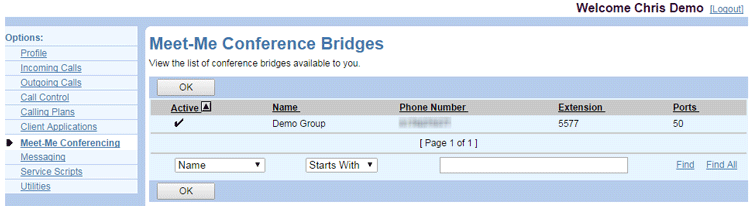
User-Meet-Me-Bridges

Need more help:

We’re ready to answer any of your questions. Visit our Technical Support page for phone numbers and web portal links.

For more inspiration:

Read the TPx Blog for insights that will help keep your business running at full speed.

Need more help:

We’re ready to answer any of your questions. Visit our Technical Support page for phone numbers and web portal links.

Request a Consultation

"*" indicates required fields

* By submitting this form, you are accepting TPx’s privacy policy .