
The Call Center Wallboard report provides an expanded view of real-time data for a single Call Center queue. This real-time report is ideal for displaying in a shared location for all call center agents to see.
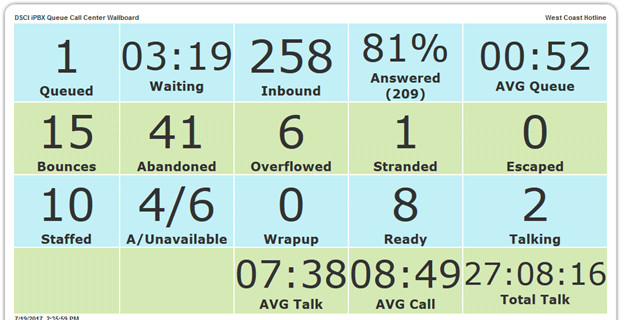
The Call Center Wallboard displays the following data:
| Field | Description |
| Queued | The number of calls currently waiting in the Call Center queue. |
| Waiting | The longest wait time for callers in the queue. |
| Inbound | The total number of calls into the Call Center queue for the current day. |
| Answered | The percentage of calls to the queue which were answered by agents in the current day. The total number of calls answered is shown in parentheses. |
| AVG Queue | The average wait time for all calls on the current day. |
| Bounces | Total calls bounced to another queue in the current day. |
| Abandoned | The total number of calls where the caller hung up before the call was answered by an agent. |
| Overflowed | Total calls where an overflow treatment was applied (when the number of calls exceeds the queue size), or where total wait time exceeded queue limits. |
| Stranded | Total calls left in queue when no agents were signed in. |
| Escaped | Total calls where the caller escaped from the queue to either voicemail or an operator. |
| Staffed | The total number of agents currently signed in to the Call Center queue. |
| A/Unavailable | The first number shows the total number of agents with an Available status in the Call Center. The second number shows the total number with an Unavailable status. |
| Wrap-Up | The total number of agents who are currently in Wrap-Up status. |
| Ready | The number of agents currently available for calls. |
| Talking | The number of agents currently on an active call. |
| AVG Talk | Average time spent by all agents on active calls for the current day. |
| AVG Call | Average total call time for Call Center calls for the current day. |
| Total Talk Time | The total time spent by all agents on active calls for the current day. |