
With Alternate Numbers, you can specify up to ten additional phone numbers or extensions to ring on your phone just like your primary phone number. If your phone supports it, you can also specify a distinctive ringing pattern for each number (Normal, Long-Long, Short-Short-Long, or Short-Long-Short).
NOTE: To set up a new alternate number or extension, contact your company administrator.
- Log in to ucx.telepacific.com.
- Click Incoming Calls on the left-hand menu.
- On the Incoming Calls page, click the Alternative Numbers link in the Advanced column.
- The Alternate Numbers page opens.
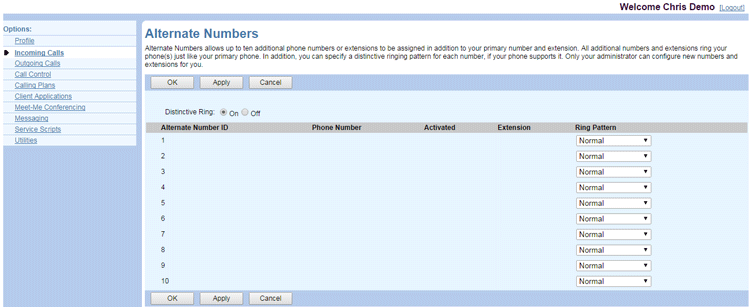
For each alternate number, the activation status of the assigned phone number is displayed in the column to the right of the phone number. - Set Distinctive Ringing to On or Off. If this is set to On and your phone supports this feature, your phone’s ringtone will differ for calls to alternate phone numbers.
- For each alternate number, select a Ring Pattern from the drop-down list.
- Click OK or Apply to save changes.